
Choose ONE type of Poster described and design poster showcasing the job description, education/training requirements, daily tasks, salary expectations, and required skills. There are four (4) poster formats that you can choose from:
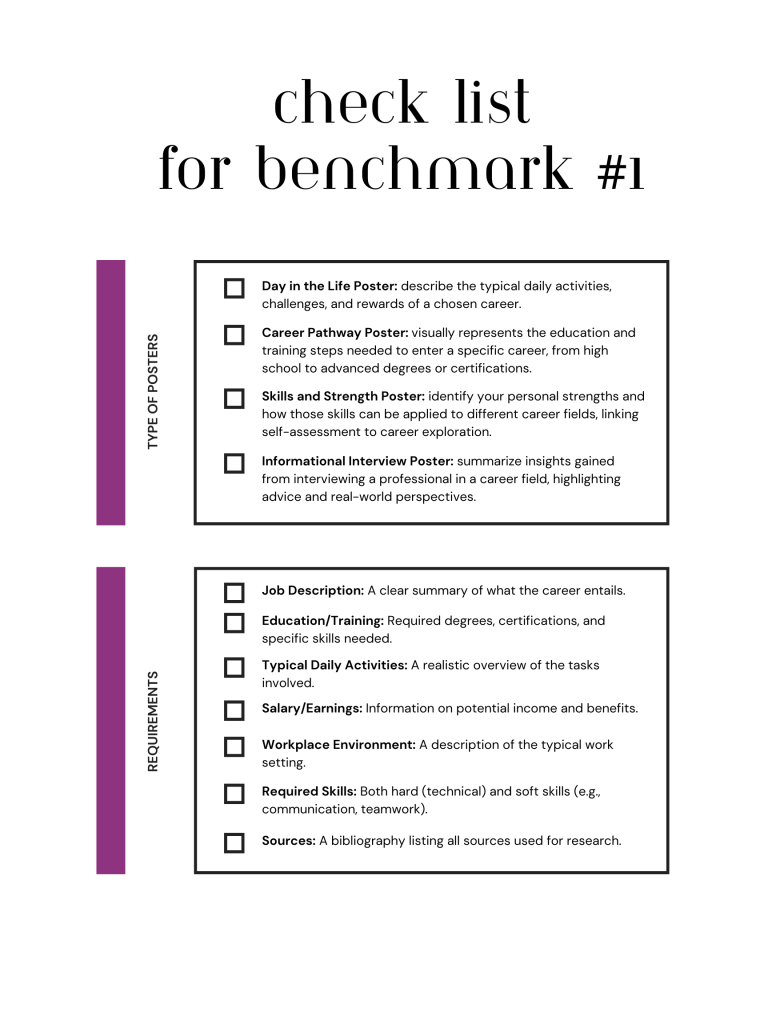
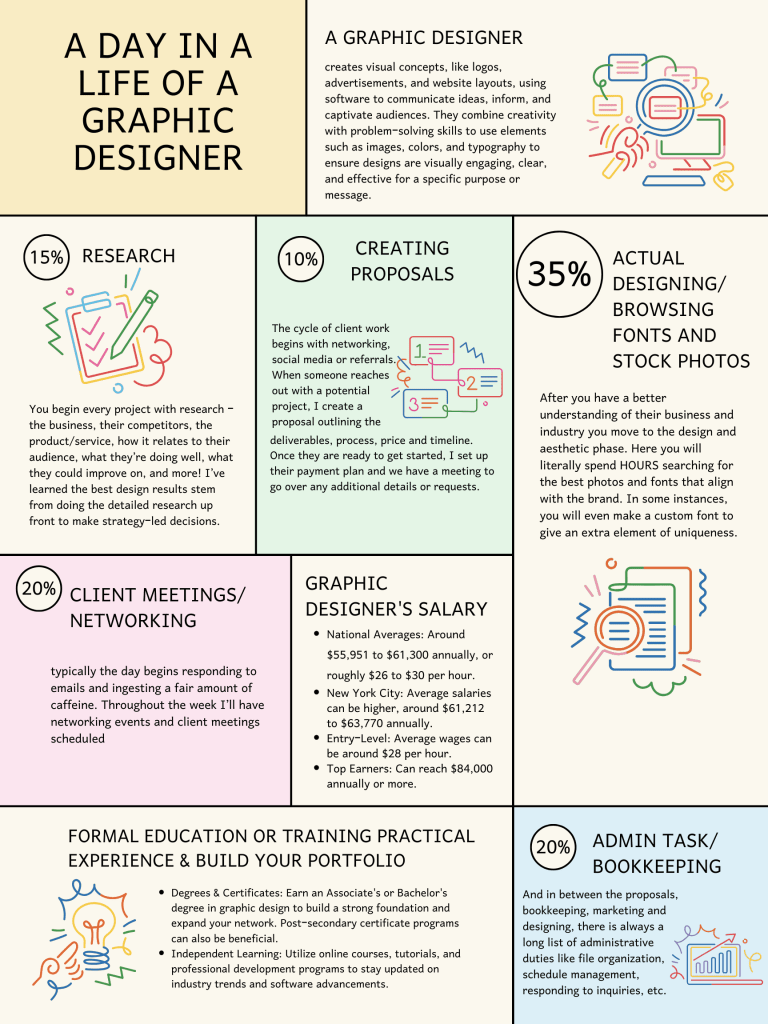
- Day in the Life Poster: describe the typical daily activities, challenges, and rewards of a chosen career.
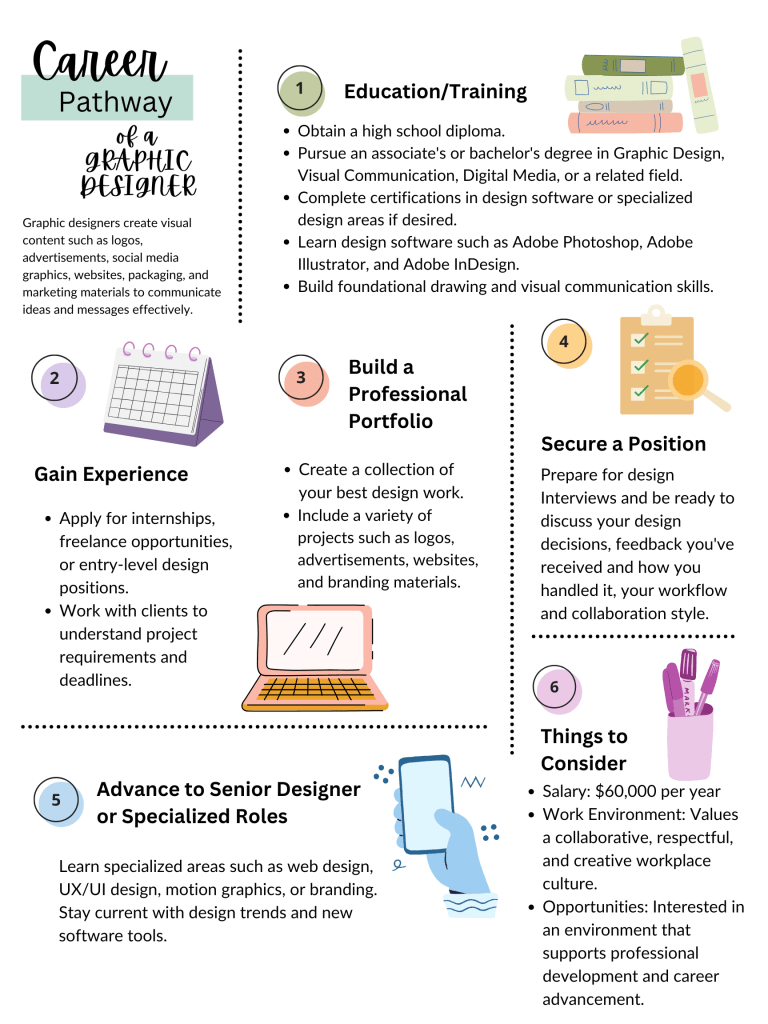
- Career Pathway Poster: visually represents the education and training steps needed to enter a specific career, from high school to advanced degrees or certifications.
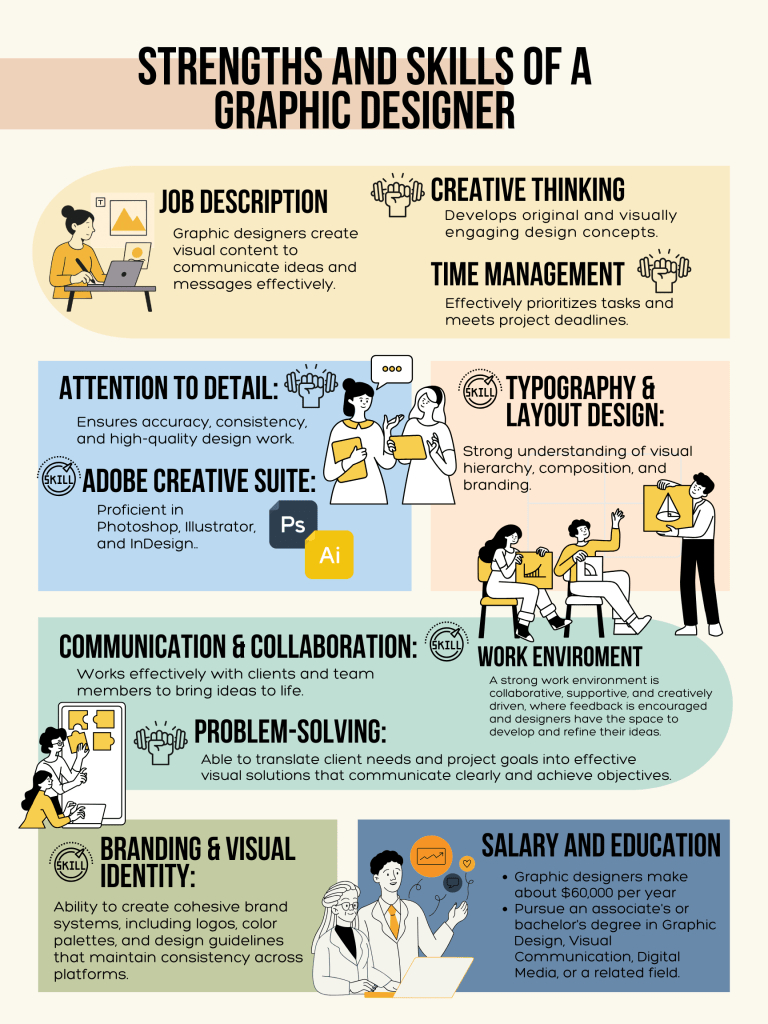
- Skills and Strength Poster: identify your personal strengths and how those skills can be applied to different career fields, linking self-assessment to career exploration.
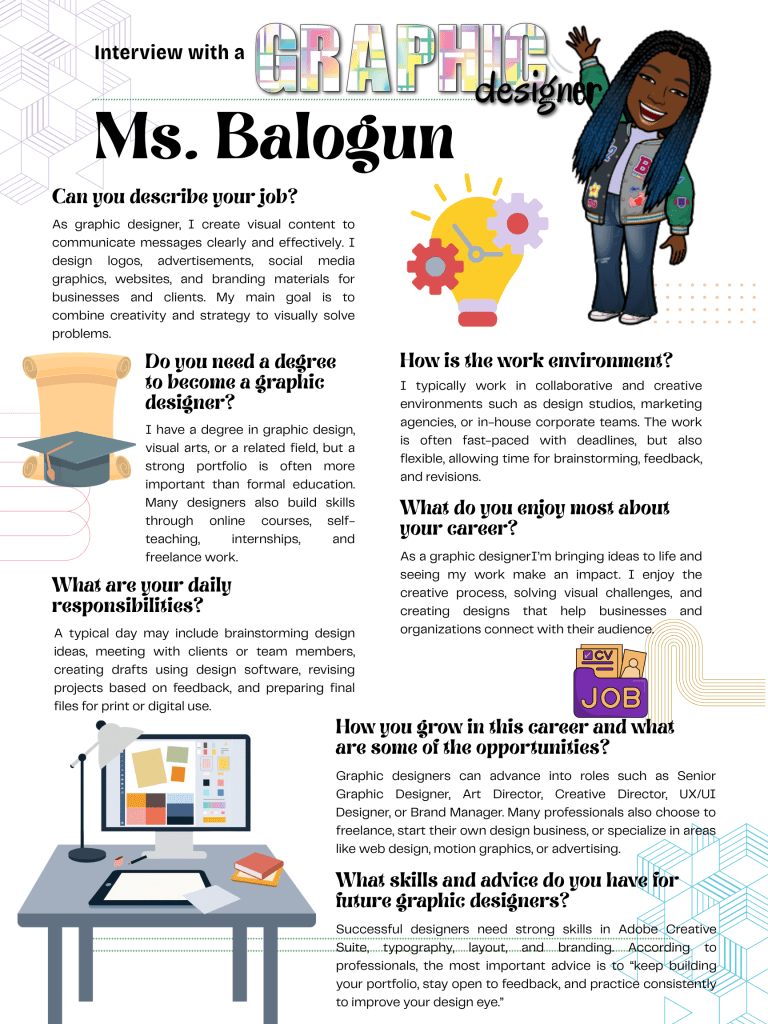
- Informational Interview Poster: summarize insights gained from interviewing a professional in a career field, highlighting advice and real-world perspectives.
Key Information to Include:
- Job Description: A clear summary of what the career entails.
- Education/Training: Required degrees, certifications, and specific skills needed.
- Typical Daily Activities: A realistic overview of the tasks involved.
- Salary/Earnings: Information on potential income and benefits.
- Workplace Environment: A description of the typical work setting.
- Required Skills: Both hard (technical) and soft skills (e.g., communication, teamwork).
Examples Four (4) Different Posters
Reflection: (please create a google doc from the assignment)
- Explain the significance of the selected elements in two (2) reflective paragraphs.
- Why did you select each element?
- How does it connect to your goals and values?
- Share the insights you gained through this project. This could discuss steps you need to take, skills you need to acquire, challenges you anticipate, or personal growth you expect along your career path.
- Sources: A bibliography listing all sources used for research. This should appear on the Google Docs and NOT on the Poster.
NOTE: Please change “yourname” to your first and last name before starting anything in the document.
Saving your Canva Poster
- Click on share button
- Select download
- Choose File type: PDF Standard
- Unselect “select all”
- Choose only your poster page (uncheck checklist)
- Upload pdf to assignment.
 Creative Designs and Technology Education